YOUVI Gardena Bridge
With the YOUVI Gardena bridge for the YOUVI Basic software package, you can extend your KNX building automation system with smart garden care functions. Integrate compatible Gardena smart system devices such as irrigation valves, robotic lawnmowers, switchable sockets and sensors into your YOUVI visualisation. This allows you to keep track of your connected garden devices and control them centrally via YOUVI.
Please note: The YOUVI Gardena bridge requires YOUVI Basic version 5.2 or later and compatible PEAKnx hardware. To integrate the devices, you need an existing Gardena account and a Gardena smart Gateway. You can find out where to locate your YOUVI hardware key under the "Installation" tab.
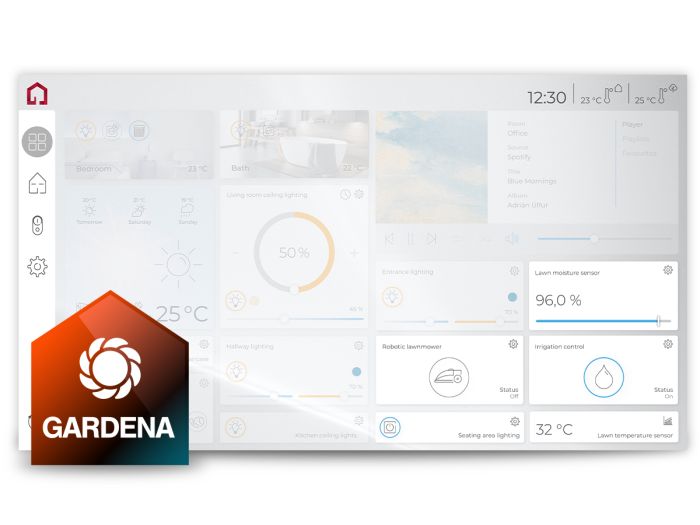
Extension for YOUVI Basic: The intelligent software solution for KNX smart home control
With YOUVI Basic, you can easily and intuitively control the most common smart home functions such as lighting, shading and heating. The Gardena bridge and further add-ons allow you to extend the functionality of your building control system according to your needs.
Integrating smart garden care into building control
The Gardena smart system allows you to connect and conveniently control various garden care functions. The YOUVI Gardena bridge enables you to integrate compatible devices from this system into your KNX building automation system. This allows you to extend your smart home with outdoor functions and control them alongside your building functions via YOUVI.
Controlling Gardena devices centrally via YOUVI
The Gardena bridge allows you to integrate compatible Gardena smart system devices into your YOUVI visualisation, including:
- Irrigation valves
- Robotic lawnmowers
- Switchable sockets
- Sensors
From garden irrigation and lawn care to monitoring sensor readings, YOUVI allows you to keep track of your connected garden devices and control their supported functions centrally.
Simple setup and expansion
Setting up the Gardena bridge requires an existing Gardena account and a Gardena smart Gateway. Once your Gardena account has been linked to YOUVI, the software automatically detects the available devices and makes them accessible via the visualisation.
Integrating garden care functions into KNX building automation
The YOUVI Gardena bridge allows you to integrate irrigation and other garden care functions into your existing KNX installation. Device functions and sensor readings can be linked to KNX group addresses. This makes your garden part of your connected building control system. Instead of using separate control interfaces for the integrated garden and building functions, you can control them all via YOUVI.
Using Gardena devices for automation
In combination with the YOUVI Logic module, you can also incorporate Gardena devices and their sensor readings into your automations. For example, garden irrigation and other garden care functions can be controlled automatically based on predefined conditions.
Hardware and software requirements
The YOUVI Gardena bridge can only be used in combination with YOUVI Basic version 5.2 or later and compatible PEAKnx hardware (Controlmicro, Control 12, Control 16, Controlpro, USB-Connector or Performance Server).
Integrating compatible Gardena devices into YOUVI requires an existing Gardena account and a Gardena smart Gateway.
Installing the Fronius bridge
- First, follow these steps in YOUVI:
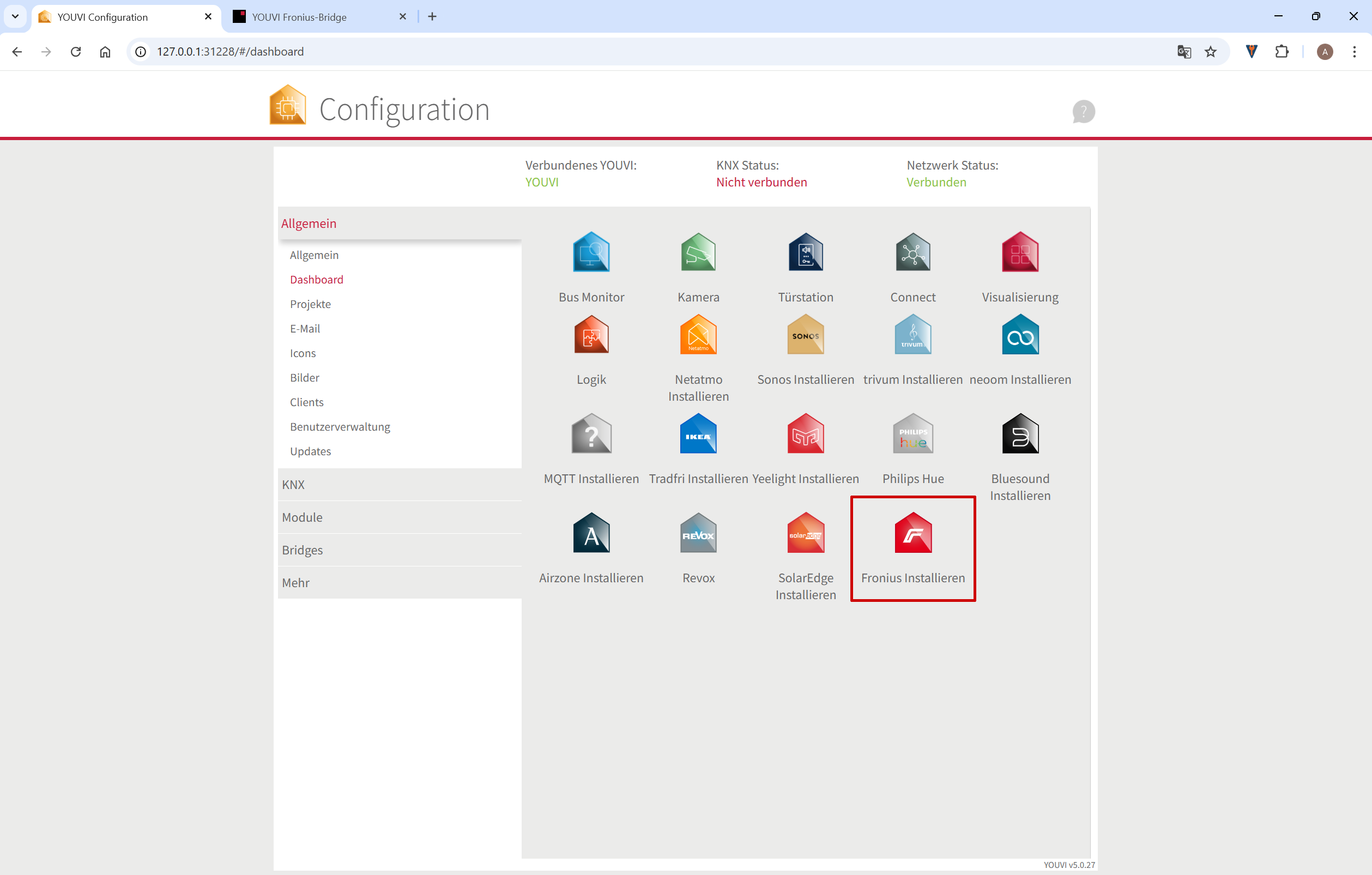
- If the desired add-on has not yet been installed, do so via the YOUVI Dashboard. For the YOUVI Fronius Bridge, click on "Install Fronius".
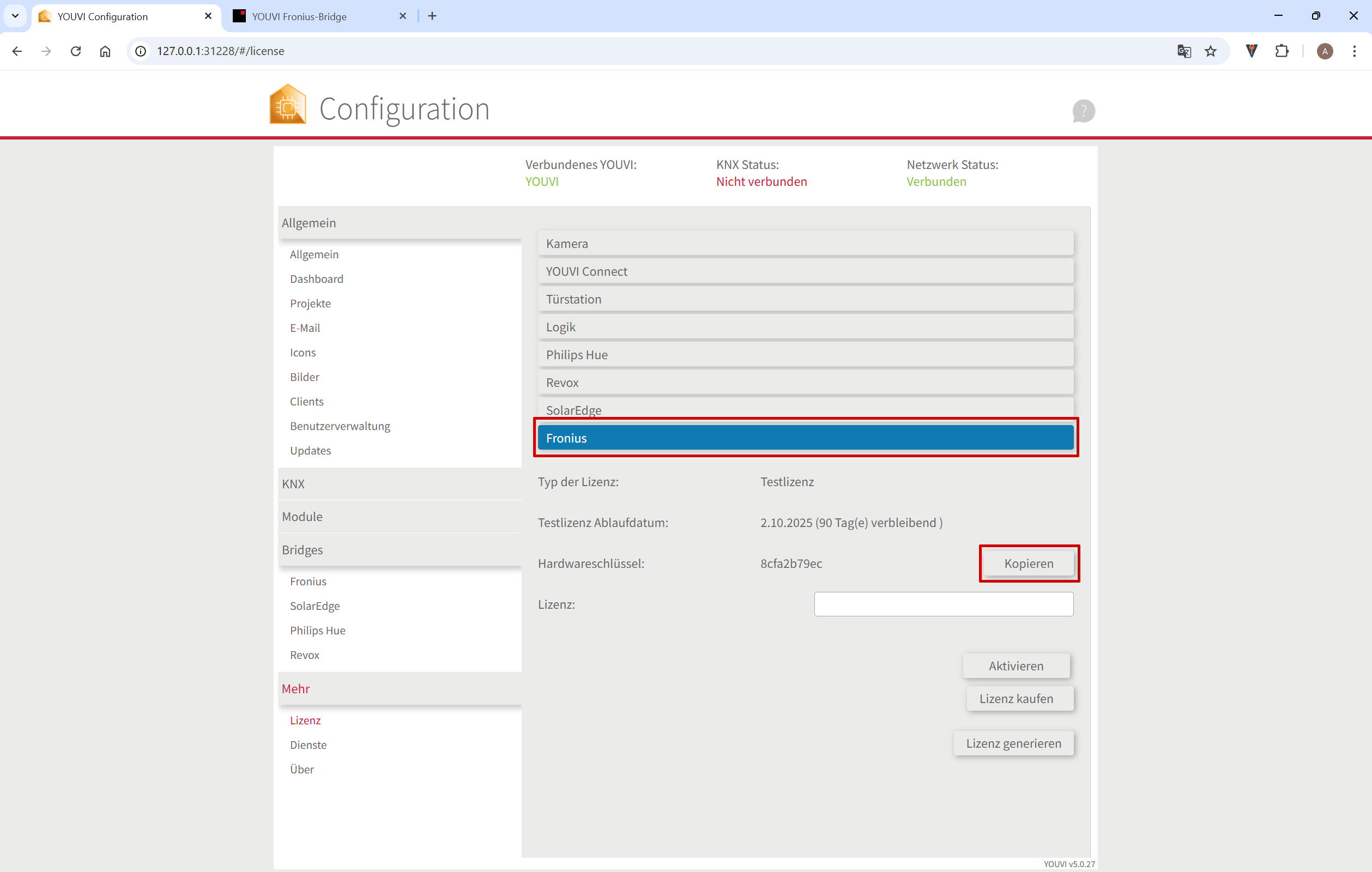
- Then open YOUVI Configuration > More > License and select the appropriate license for the add-on.
- Copy the hardware key.
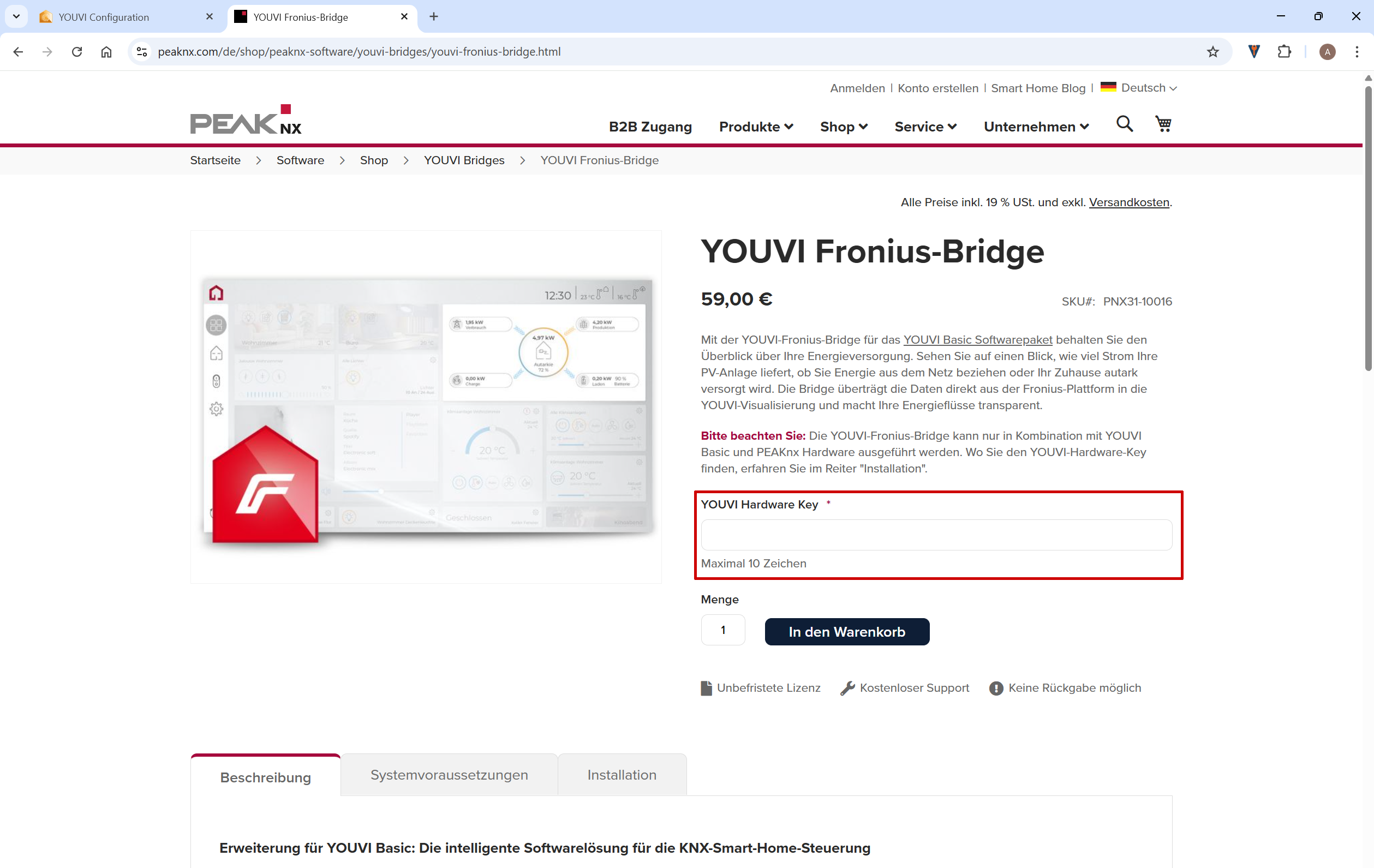
- Then follow these steps in the PEAKnx Shop:
- Enter the copied code under "Hardware key". A license key will then be generated and stored.
- Once the order process is complete and payment has been made, you can find the licence key in your customer account. Under the "My licence keys" tab, you will find all purchased licence keys.
- Return to YOUVI:
- Open YOUVI Configuration > More > License and nd ensure the correct licence for the add-on is selected!
- Enter the license key in the "License" field and select "Activate".
-
 YOUVI Door Station Module€149.00
- YOUVI Connect Module€89.00
- YOUVI Netatmo Bridge€59.00
- YOUVI IKEA Tradfri Bridge€59.00