Control 12 (2nd generation) - KNX Touch Panel incl. Visualisation
From €2,499.00
To €5,268.00
In stock
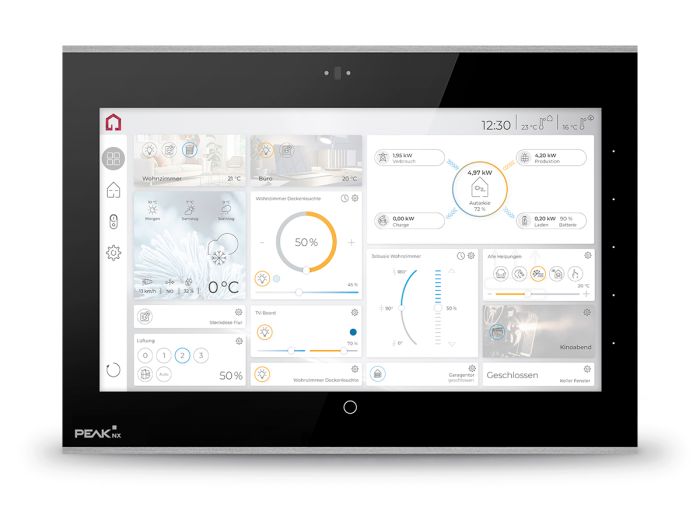
The Control 12 is a powerful KNX touch panel with an 11.6-inch Full HD display for central building and room control. Five freely configurable side buttons provide direct access to frequently used functions. The integrated ambient lighting can visualise status information while also creating subtle lighting accents. With the included YOUVI Basic visualisation, the Control 12 can be used flexibly for KNX visualisation and building control, for multimedia applications, as a status and information display or as an indoor intercom unit for door stations.
Please note: The Control 12 (2nd generation) is the successor model to the Controlmini and the Control 12 (1st generation). Existing flush-mounted boxes, adapter frames and power supplies for the Controlmini and the previous generation can continue to be used for the Control 12. Front glasses for the Controlmini and the 1st-generation Control 12 are not compatible due to the new sensors on the front.
Current delivery time: 2 weeks
Building control with KNX visualisation YOUVI
With YOUVI Basic, the Control 12 becomes the central user interface for KNX building control. Lighting, shading, heating, sockets, ventilation and other functions can be conveniently controlled via the customisable dashboard. The visualisation is created directly from the ETS project structure via ETS import and can then be adapted to individual requirements. Scenes can be easily created using drag & drop. Web widgets also allow websites to be integrated directly into the visualisation.
Flexibly extend smart home functions
Various add-ons allow YOUVI Basic to be extended with additional functions as required. For example, IP cameras and SIP door stations can be integrated, logics and routines can be created, or the smart home can be controlled by voice command. The YOUVI Smart Home App enables control via smartphone within your own home network. For access on the go, the YOUVI Connect Module is available. Devices outside the KNX standard, for example from Philips Hue, Netatmo or Sonos, can be integrated via YOUVI Bridges.
Open to other visualisations and multimedia applications
Thanks to Windows IoT Enterprise LTSC, the Control 12 supports other Windows- and web-based visualisation solutions in addition to YOUVI, such as Gira QuadClient, Gira X1, CubeVision or Home Assistant. Browser applications and other Windows software can also be used on the panel. This means that, in addition to building control, the Control 12 can also be used for multimedia applications such as multiroom music, TV and streaming.
Use the KNX touch panel as a server or client
Thanks to its direct KNX connection and the included YOUVI Basic software package, the Control 12 can operate independently as a server for building control. No additional KNX server or external IP router is required. Alternatively, the panel can be used as a client with an external server, for example with the Gira HomeServer and QuadClient visualisation.
Optimised performance for continuous operation
The Control 12 is designed for reliable continuous operation. The increased RAM ensures smooth performance, particularly when displaying multiple camera streams, and also ensures high performance for more complex visualisations. The fanless cooling concept enables silent operation and ensures efficient heat dissipation. The fully milled metal frame further supports cooling, helping to extend the service life of the panel.
Individual design with interchangeable front glasses
The fully milled metal frame and glass front give the Control 12 a high-quality, timeless appearance. The magnetically attached front glasses can be easily replaced and selected to match the interior design. In addition to the standard versions in black and white, customised front glasses are available in your preferred colour or with your own design. On request, the glass can also be supplied without the PEAKnx logo or customised with your own logo.
For a customised front glass, please contact order@peaknx.com.
Mounting options from surface-mounted to flush with the wall
The Control 12 offers various mounting options and can be installed surface-mounted, flush-mounted or flush with the wall, depending on the installation situation and desired appearance. Surface mounting enables installation without extensive chiselling work, while flush mounting provides a particularly low-profile installation on the wall. When installed flush with the wall, the panel sits level with the wall surface and blends particularly harmoniously into the interior design.
The Control 12 can be retrofitted wherever flush-mounted boxes with maximum dimensions of 215 x 135 mm are installed. Simply install the panel using the surface-mounted option. Alternatively, the appropriate mounting and adapter solutions allow it to be installed in existing flush-mounted boxes from various manufacturers. An overview of all replacement options and our replacement kits can be found here:
- Control 12 panel
- YOUVI Basic software package
- Installation and operating instructions
- Network connector
- Network patch cable
- Certified cleaning cloths
Current software, manuals and other documents with information about the Control 12 (formerly Controlmini) can be found in our download area.
Specifications
- Intel® N97 processor
- Fanless convection cooling
- 8 GB RAM
- 256 GB SSD
- 11.6-inch Full HD multi-touch LCD display
- Resolution: 1920 x 1080 pixels
- Adaptive brightness adjustment
- Automatic screen activation via
proximity sensor - Integrated stereo speakers and microphone
- Five side buttons
- LED ambient lighting
- Wi-Fi 6E and Bluetooth 5.4
Ports
- KNX
- 1 x USB-C 3.2 front port
- 1 x USB-C 3.2
- 1 Gigabit Ethernet
- Supply terminals: 24 V DC, GND
Software
- Operating system: Windows IoT Enterprise LTSC
- YOUVI Basic software package consisting of visualisation, IP router and bus monitor (modules and bridges available separately)
Dimensions
- Control 12 dimensions (W x H x D): 297 mm x 210 mm x 26 mm
- Flush-mounted box dimensions (W x H x D): 251 mm x 193 mm x 50 mm
- Front glass dimensions (W x H x D): 297 mm x 201.7 mm x 1 mm
Supply and power consumption
- Supply voltage: 24 V, 2.4 A (power supply units available for flush-mounted box and DIN rail)
- Operation (idle): 6 W
- Operation (full load): 30 W
- Server operation without LCD: 4 W
Windows IoT Enterprise LTSC as a basis
The Control 12 is equipped with Windows IoT Enterprise LTSC. This version of Windows is specifically designed for continuous professional and industrial use, comes without major feature updates or bloatware and receives regular security updates. Windows features such as swipe gestures also enable quick navigation, while night mode ensures comfortable operation in the dark.
Open to other visualisation solutions
In addition to the included YOUVI visualisation, the Control 12 also supports other Windows- and web-based visualisation solutions. For example, Gira X1, Gira QuadClient, CubeVision from BAB Technologie or Home Assistant can be used on the panel. An overview can be found under the "Compatibility" tab.
KNX software YOUVI Basic included
YOUVI Basic combines KNX visualisation, an IP router and a bus monitor in a single software solution and is included with the Control 12. The KNX visualisation is created directly from the ETS project structure by importing the ETS project. Detected devices can then be reviewed in the project editor and adjusted if required. The visualisation combines intuitive operation with a modern design and provides convenient control of lighting, shading, heating and many other KNX functions. Add-ons allow the functionality of YOUVI Basic to be extended flexibly. Thanks to the direct KNX connection and integrated IP router functionality, the Control 12 can operate independently as a server for building control, without the need for an external KNX server or IP router. The integrated bus monitor also provides a transparent overview of the KNX network as well as extensive filtering and analysis options. The YOUVI software is available in German, English and French.
Most important features at a glance
- Automatic creation of the visualisation via ETS import
- Scene creation via drag and drop
- Up to 5 dashboard pages with 3 different layouts
- Web widgets for integrating websites
- Charts for sensor values (day, week, month, year)
- Energy monitoring widget
- Device filters by type, status and location
- Light and dark design
- Visualisation can be customised without programming knowledge
- Flexibly expandable with YOUVI add-ons (e.g. sound systems, door stations or voice control)
- Supported languages: German, English, French
For the full range of functions, see "All YOUVI functions"
- Lights
- Sockets and switchable devices
- Shutters
- Blinds
- Dimmers (including Tunable White)
- RGB(W) lights
- Heating
- Ventilation
- Weather stations
Supported camera streams (Camera Module):
- Formats: RTSP, MJPEG, JPEG
- e.g. Mobotix, Hikvision, Reolink, Axis
- Binary
- CO2 (ppm)
- Pressure (Pa)
- Humidity (%)
- Brightness (lux)
- Noise (W/m², dB)
- Power (W, kW)
- Percentage values
- Rainfall (l/m²)
- Current (mA)
- Temperature (°C)
- Wind speed (m/s)
- Wind direction
- Active energy (kWh)
- Time (12- and 24-hour format)
- Other numerical values (ETS data point types 7.x, 8.x, 9.x)
- IP-capable devices (e.g. Control 12, Controlmicro, Controlpro or PCs with USB-Connector) can function as KNX IP routers
- Supports up to 15 IP tunnelling connections
- Support for EIBlib/IP, multicast and extended frames
- Filter tables for selective transmission of group addresses
- Logs all telegrams on the KNX bus
- Tabular display
- Extensive filtering and export options
- Supports analysis and troubleshooting
- Available for iOS and Android
- Access via the home network (Wi-Fi) already included in YOUVI Basic
- Access on the go via YOUVI Connect
For the full range of functions of the mobile app, see "All YOUVI functions"

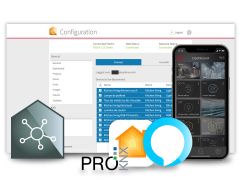
> YOUVI Connect Module: Building control on site via online or offline voice control and on the go via the Smart Home App
> YOUVI Camera Module: Integration of JPEG, MJPEG and RTSP streams from surveillance cameras into the visualisation
> YOUVI Logic Module: Creation of logics, routines and presence simulations in the logic editor
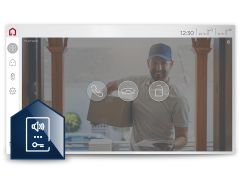
> YOUVI Door Station Module: Integration of SIP door stations into the visualisation
> YOUVI Airzone Bridge: Integration of air conditioning systems with Airzone
> YOUVI Bluesound Bridge: Integration of a Bluesound multiroom sound system
> YOUVI IKEA Tradfri Bridge: Integration of various IKEA Tradfri devices
> YOUVI neoom Bridge: Integration of the Internet of Energy platform neoom Connect
> YOUVI Netatmo Bridge: Integration of Netatmo thermostats and weather stations
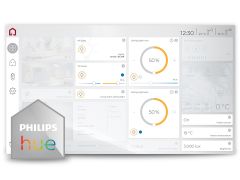
> YOUVI Philips Hue Bridge: Integration of various Philips Hue devices
> YOUVI Revox Bridge: Integration of a Revox multiroom sound system
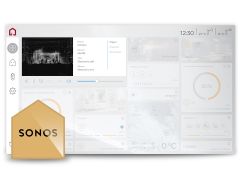
> YOUVI Sonos Bridge: Integration of a Sonos multiroom sound system
> YOUVI trivum Bridge: Integration of a trivum multiroom sound system
> YOUVI Yeelight Bridge: Integration of Yeelight lights
Please note:
The trial version allows you to explore the user interface and features of the YOUVI software. Control of an actual building is only possible in conjunction with PEAKnx hardware.
A KNX project can be loaded and tested, but building control remains disabled in the trial version. The YOUVI Basic software package can be tested for 90 days.
Broad compatibility for maximum flexibility
The Control 12 can be used with a wide range of smart home solutions from different manufacturers. Find all compatible options here:
Visualisations
All Windows- or web-based solutions, e.g.:
- BAB Technologie: CubeVision
- Gira: QuadClient, Ajax, X1
- Hager: Domovea
- Enertex: EibPC
- Symcon GmbH: IP-Symcon
- ThinKnx
- Loxone
- Home Assistant, openHAB and many more ...
Flush-mounted boxes
Adapters available for flush-mounted boxes such as UP-KAST2, JUNG EBG 24 or Busch-Jaeger 6136/UP, for replacing e.g.:
- Gira Control 9 Client 1 and 2
- Gira InfoTerminal Touch
- Gira Smart Control 7
- Merten Touch-Panel 7
- Merten IP-Touch 10
- Berker Master Control
- Feller Home-Panel 7"
- Busch Controlpanel and ComfortPanel 9" & 12.1"
ETS
- ETS6 (YOUVI)
- ETS Inside Server
Cameras
IP streams in RTSP, JPG and MJPG format, e.g. from:
- Hikvision
- Axis
- Lupus
- Reolink
- Mobotix and many more ...
Door communication
All SIP-based door stations, e.g.:
- Gira DCS incl. DCS Gateway (in conjunction with Gira software)*
- Doorbird IP video door station
- AGFEO IP-Video TFE
- 2N IP Verso
- Wantec Monolith C IP
- Mobotix T25
- Siedle InHome/Access and many more ...
Music software
Windows- or web-based software:
- Apple iTunes
- Spotify
- Sonos and many more ...
Network TV tuner
*Use with YOUVI is limited to the audio stream. The camera stream from the Gira door station is not made available for use outside Gira's own software. However, a different camera stream can be integrated.
-
 YOUVI Door Station Module€149.00
 - YOUVI Connect Module€89.00
- YOUVI Sonos Bridge€59.00
- YOUVI Philips Hue Bridge€59.00